
Why Does My Phone Overheat Overnight? Common Causes?
Discovering your device is burning to the touch when you wake up is a jarring experience that often leaves users wondering why their phone overheats overnight? Common causes range from simple environmental factors to complex software bugs that keep the processor working long after you have gone to sleep.
Understanding these triggers is the first step toward preserving your battery health and ensuring your hardware remains functional for years to come. By identifying whether the issue stems from a faulty charger or a rogue background process, you can take immediate action to cool down your mobile device and prevent potential long-term damage to internal components.
Environmental Factors and Improper Charging
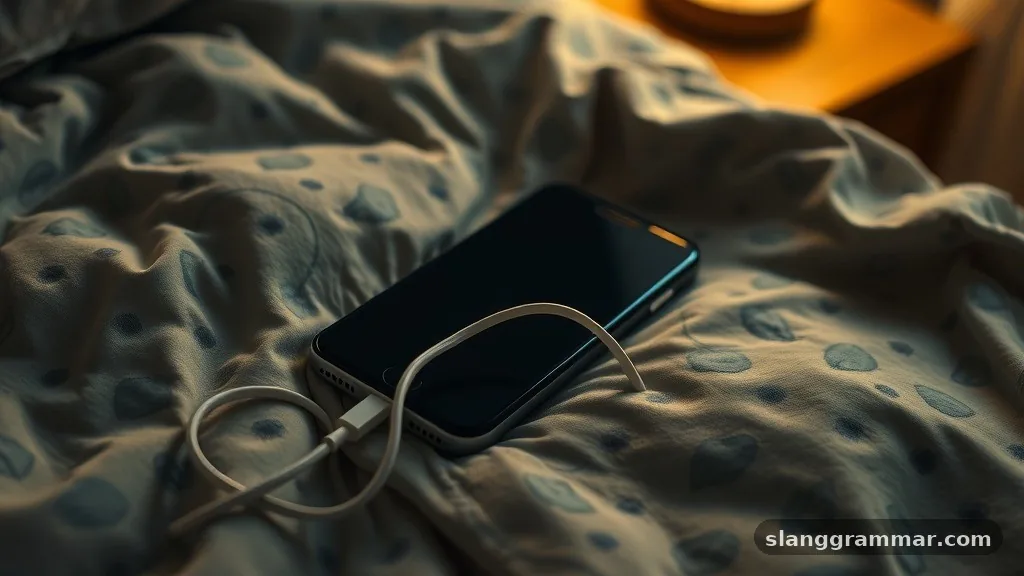
The most frequent culprit behind a device becoming hot while plugged in involves the physical environment where it resides. Many users leave their phones under a pillow, tucked inside a thick case, or resting on a soft surface like a bedspread while charging.
These materials act as insulators, trapping the heat that naturally generates during the energy transfer process. When the device cannot dissipate this thermal energy into the surrounding air, the internal temperature rises rapidly.
Charging habits also play a significant role in thermal regulation. Using a non-certified, low-quality charging cable or power adapter can lead to inefficient energy conversion, which manifests as excess heat. If your charger lacks the proper safety protocols to manage current flow, it may continue to push power into the battery even as it reaches capacity.
This constant influx of electricity creates stress within the lithium-ion cells. You should always aim to use accessories officially supported by the manufacturer to ensure the power delivery remains stable and safe.
Background App Activity and Software Syncing
Modern smartphones are designed to perform maintenance tasks while the screen is off, but sometimes these processes spiral out of control. If you have dozens of apps set to automatically update or sync data in the background, your phone’s processor stays active throughout the night.
This sustained workload prevents the CPU from entering a low-power state, causing the device to heat up significantly. You might notice that your battery percentage is lower in the morning than when you went to bed, which is a clear sign that heavy background activity is the primary cause.
Software glitches can also trigger a “runaway” process where an application gets stuck in a loop. When an app fails to terminate a specific task, it continues to demand resources from the system, effectively keeping the phone “awake” and working hard. You can investigate these issues by checking your device’s battery usage statistics in the settings menu.
If a specific app shows a disproportionately high percentage of battery consumption despite you not using it, that application is likely the source of your thermal problems. Updating your operating system and individual apps can often resolve these bugs.
Poor Cellular Reception and Network Searching
When your phone struggles to maintain a stable connection to a cellular tower, the internal modem works at maximum power to find a signal. This intense effort creates a substantial amount of heat, especially if the device is constantly switching between 5G, LTE, and Wi-Fi.
If you live in an area with poor reception, your phone will continuously cycle its radio hardware, which is one of the most energy-intensive activities a mobile unit can perform. This is a common reason why some users find their phone hot after a night spent in a basement or a remote location.
To mitigate this, many users find that switching their device to Airplane Mode before going to sleep effectively halts the constant network polling. If you need to remain reachable, try forcing the phone to stay on a single, stable network band or ensuring it is connected to a strong Wi-Fi signal.
By reducing the load on your modem, you allow the device to stay cool while you rest. For more technical details on how lithium-ion batteries respond to these conditions, you can review the Battery University guidelines on thermal management and longevity.
Battery Degradation and Hardware Aging
As a battery ages, its internal resistance increases, making it less efficient at holding and processing a charge. Older batteries often struggle to manage the chemical reactions occurring during the charging cycle, which results in more energy being lost as heat rather than stored as potential power.
If your phone is several years old and you have never replaced the battery, this degradation is a natural part of the hardware’s lifecycle. You might notice that the phone becomes hot much faster than it did when it was new, even during light tasks.
Hardware damage can also cause short circuits or internal malfunctions that lead to overheating. If your phone has suffered a drop, water exposure, or other physical trauma, the internal components might be compromised.
Even if the phone seems to function normally, internal hardware issues can cause the battery to draw current in an erratic manner. If the device remains consistently hot despite closing all apps and using a certified charger, it may be time to consult a professional technician to evaluate the physical integrity of the battery.
Effective Strategies for Prevention
Preventing your phone from overheating overnight requires a combination of good habits and smart device management. You should remove heavy cases before charging if you notice the device feels warm to the touch, as this allows for better airflow.
Additionally, try to keep your phone away from heat sources like radiators or direct sunlight. By creating a cool, well-ventilated space for your device to charge, you significantly reduce the risk of thermal throttling and permanent component degradation.
* Enable “Optimized Battery Charging” in your settings to manage the rate of power intake.
* Close all unnecessary applications before plugging the phone in for the night.
* Keep your operating system updated to ensure you have the latest performance patches.
* Avoid using fast-charging bricks if you intend to leave the phone plugged in for eight hours.
* Turn off background app refresh for non-essential services to reduce CPU strain.
Following these steps will help keep your device within safe operating temperatures. Managing your phone’s digital environment is just as important as where you physically place it on your nightstand. By staying mindful of background processes and the physical conditions of the charging area, you can effectively address why your phone overheats overnight.
Common causes are almost always manageable with a few simple adjustments to your routine. If you continue to experience excessive heat despite these efforts, it is advisable to contact manufacturer support to rule out a defective battery or internal hardware failure. Taking these proactive measures ensures that your mobile technology serves you reliably for years to come.